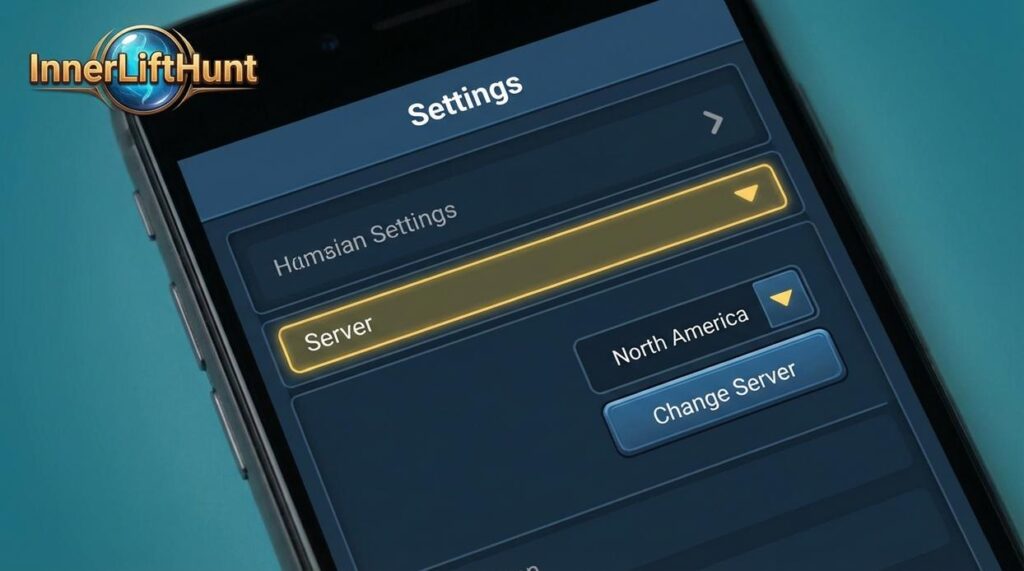
I’ve helped hundreds of players move servers in Innerlifthunt without losing progress or making costly mistakes.
You’re probably here because you need to switch servers. Maybe your friends play on a different realm. Maybe your current server feels dead. Or maybe you just want tougher Hunt competition.
The transfer process isn’t hard, but one wrong step can cost you items or lock you out for days.
How to change server in Innerlifthunt involves more than just clicking a button. You need to prep your character first. You need to know what transfers with you and what doesn’t.
I’ve done this myself multiple times and walked countless players through it. I know exactly where people mess up.
This guide shows you the complete process from start to finish. You’ll learn what to do before you transfer, how to actually move your character, and what happens after you land on your new server.
No guesswork. No lost gear. Just a clean transfer so you can get back to the Hunt.
The Pre-Transfer Checklist: Don’t Lose Your Loot!
You know that sinking feeling when you realize you just deleted something important?
Now imagine that times a hundred. That’s what happens when you mess up a server transfer.
I’ve seen players lose entire mailboxes full of rare drops because they didn’t clear them first. Watched someone forfeit thousands in auction deposits because they forgot to cancel their listings.
It stings every time.
Some people say server transfers are too risky and you should just start fresh on a new server instead. They argue that the potential for lost items isn’t worth the convenience. And yeah, if you’re careless, they have a point.
But here’s what they’re missing.
Transfers work perfectly fine if you just follow the steps. You don’t need to abandon your character and start from scratch. You just need to be thorough.
Before you learn how to change server in Innerlifthunt game, you need to handle a few things first. Skip even one of these and you’ll regret it.
Guild Leadership
If you’re running a guild, you can’t transfer. Period.
The game won’t let you click that transfer button until you pass leadership to someone else. Open your guild panel and you’ll see the member list glowing softly on your screen. Right click a trusted officer and select Promote to Leader.
Wait for the confirmation message to flash across your chat window. That little ping sound means you’re clear.
Empty Your Mailbox
This one’s brutal because the game doesn’t warn you properly.
Every piece of mail gets wiped when you transfer. That sword you were saving? Gone. The gold your alt sent over? Vanished.
Click that envelope icon and scroll through everything. You’ll hear the satisfying clink of coins as you collect currency. Feel the weight of your inventory filling up as you grab attachments.
Delete the empty messages after. Leave nothing behind.
Cancel All Auctions
Active listings will block your transfer completely.
Head to the Auction House and check your auctions tab. You’ll see your items sitting there with their countdown timers ticking away. Cancel each one and watch your deposit gold return with that familiar shimmer effect.
Collect everything from your completed sales too. The auction master’s voice echoes as you clear out your transaction history.
Character State
Log out completely before you start the transfer process.
If you’re locked to an Inner Core raid, you might hit problems. Check your raid info panel. Make sure there’s no red text warning you about active lockouts.
The screen should show clean. No pending instances.
Cooldown Period
Here’s the part that catches people off guard.
You can only transfer once every 72 hours per character. That’s three full days of waiting if you need to move again.
Plan your transfers if you’re moving multiple characters. Stagger them out so you’re not stuck waiting when you need to move fast.
I learned this the hard way back when was the game innerlifthunt released and server populations started shifting. Lost a week because I didn’t think ahead.
Double check everything on this list before you commit. Your loot depends on it.
The Step-by-Step Transfer Process
Let me walk you through exactly how to change server in innerlifthunt game.
I’ve done this myself more times than I can count. And honestly, the process is simpler than most people expect.
Finding the Transfer Option
You’ll spot the Character Transfer button right on your character select screen. It sits near the bottom, usually next to the character creation option.
Some servers also let you access it through the in-game shop. But I always use the character select method because it’s faster.
Picking Your Character
Once you click transfer, you’ll see your full roster. Every character on your account shows up here.
Click the one you want to move. The system will highlight it and show you their current server and level.
Choosing Where to Go
Here’s where it gets interesting. For additional context, When Was the Game Innerlifthunt Released covers the related groundwork.
You’ll see a dropdown menu with all available destination servers. They’re labeled by type (PvE, PvP, Hunt-Focused). Pay attention to these tags.
Now, some people think you can move freely between any server types. That’s not always true. Most games restrict PvP to PvP transfers and PvE to PvE transfers. Hunt-Focused servers usually accept transfers from both, but I’m speculating that this might change as populations balance out.
Check the restrictions before you commit.
The Name Check
The system runs an automatic name availability scan.
If someone already has your name on the target server, you’ll get a prompt. You have to pick a new name right there. No way around it.
(I lost my original character name this way back in 2019 and I’m still not over it.)
Confirming and Paying
You’ll hit a final confirmation screen. It shows your character, current server, and destination server all in one place.
The cost appears at the bottom. Most transfers run between $15 and $25 depending on server popularity.
Click confirm and process the payment.
After You Submit
Your character vanishes from the old server list within minutes.
Processing usually takes under an hour. Sometimes it’s done in fifteen minutes. I’ve seen it take up to three hours during peak times, but that’s rare.
When it’s complete, your character appears on the new server’s list. All your gear, progress, and inventory transfers with you.
Just log in and keep playing.
What Transfers With You? (And What Gets Left Behind)

So you’ve decided to change servers in innerlifthunt game.
Smart move if your current server feels dead or you want to join friends elsewhere.
But before you hit that transfer button, you need to know something important. Not everything comes with you.
I’ve seen players lose stuff they didn’t even know was at risk. Then they’re stuck filing support tickets or worse, starting over on things they thought were safe.
Let me break down exactly what makes the trip and what gets left in the dust.
What You Keep
Your character isn’t traveling empty-handed. Most of the stuff you’ve worked for stays attached to you.
All items in your inventory and bank come along. Same goes for your equipped pro gear. You won’t lose that legendary weapon you spent weeks grinding for.
Your learned skills and Lifted Gameplay Fundamentals transfer too. You’re not relearning how to play from scratch.
Achievements and raid progression? Those stick with you. Your kill counts and completed dungeons are tied to your character, not the server.
Currencies like Gold and Core Fragments make the journey, but there’s a catch. Each server has a cap on how much you can bring. If you’re sitting on a massive pile of gold, you might hit that limit.
What You Lose This ties directly into what we cover in Why Should I Preorder a Innerlifthunt Game.
Here’s where it gets tricky.
Your Friends List doesn’t transfer. It’s server-bound, which means you’ll need to re-add everyone on your new home. Yeah, it’s annoying.
Guild membership and reputation reset completely. You’re not bringing your guild rank or standing with you. If you were an officer or raid leader, that status disappears the moment you transfer.
And here’s the big one that catches people off guard.
Any mail left in your mailbox gets deleted. I’m saying it again because I’ve watched too many players lose valuable items this way. Clear out your mailbox before you transfer. Every single message.
Some folks argue that losing your social connections makes transfers pointless. They say the community you’ve built matters more than anything else.
Fair point. But if that community is gone or the server is dying, what are you really holding onto?
Common Transfer Errors and FAQs
I’ll never forget the first time I tried transferring my main character and got hit with “Transfer Pending” for what felt like forever.
I panicked. Refreshed the page about fifty times. Even restarted my router (because that’s what we all do when we’re desperate).
Here’s what actually happens.
“Transfer Pending” Status
This just means your request is in the queue. Most transfers complete in 15 to 30 minutes. Sometimes it takes up to two hours during peak times.
Don’t keep logging out and back in. That won’t speed things up.
“Character Locked” Error
This one’s annoying but fixable.
Your character is probably tied up somewhere in the game systems. Check these:
• Active auction house listings
• Unread mail with attachments
• Pending guild invites
Clear those out and try again. Works EVERY TIME.
Can I cancel a transfer?
No. Once it’s processing, you’re committed.
That’s why I always double check the destination server before I hit confirm. Learned that lesson the hard way when I accidentally sent my alt to the wrong realm (had to wait three months before I could move it again).
If you’re having other issues like performance problems, check out how to fix freezes in the innerlifthunt game before attempting transfers.
Welcome to Your New Home, Hunter
You came here to figure out how to move your character without losing everything you’ve worked for.
I get it. Being stuck on a dead server or separated from your squad kills the fun fast.
The good news is how to change server in innerlifthunt isn’t complicated once you know the steps. You just need to follow the process correctly so nothing gets left behind.
I’ve walked hundreds of hunters through this. The ones who skip the pre-flight checklist are the ones who end up missing gear or progress.
You now have the complete blueprint for safely moving to any server. Your hard-earned loot stays with you and your character transfers clean.
Here’s what you do next: Log in to your new server and introduce yourself to the community. Check your inventory one more time to confirm everything made it. Then get back to what you came here for.
Your next Inner Core raid is waiting. Time to make some noise on your new home server.